1
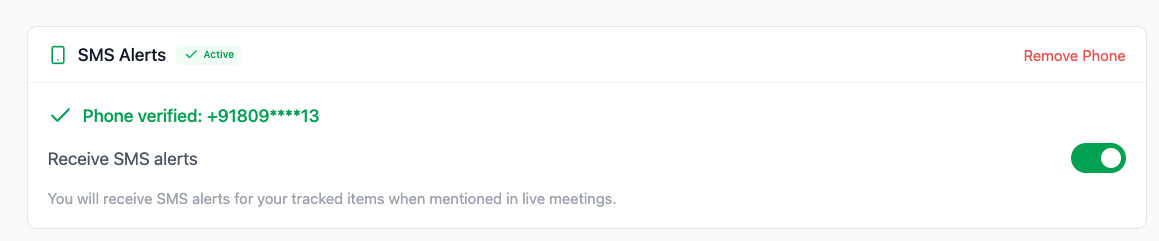
Step 1: User agrees to receive SMS
User checks the consent checkbox to opt-in for SMS notifications
2
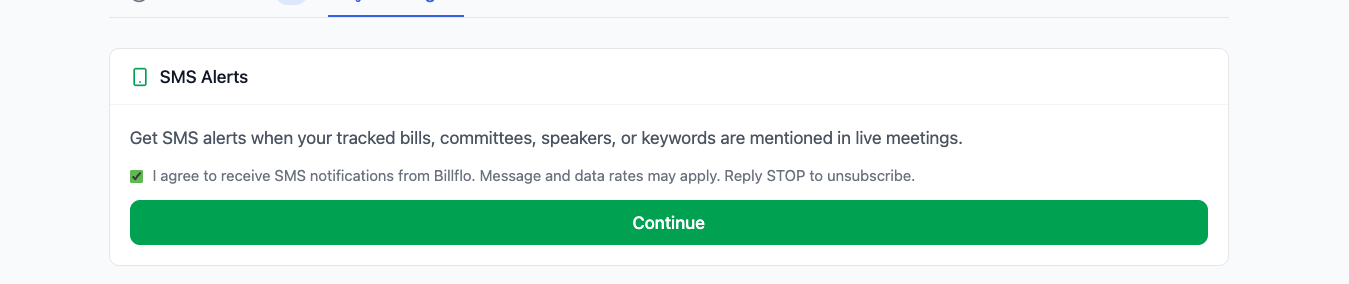
Step 2: User enters phone number
User provides their mobile phone number to receive alerts
3
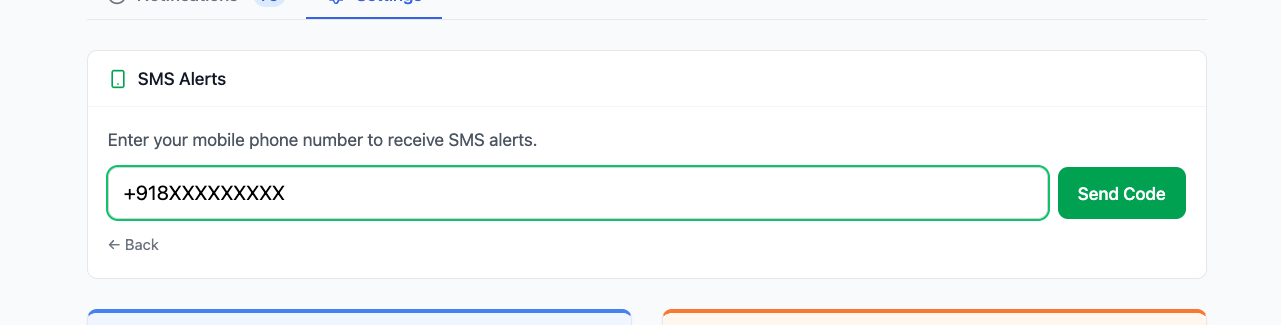
Step 3: User verifies via OTP
User enters the 6-digit verification code sent to their phone
4
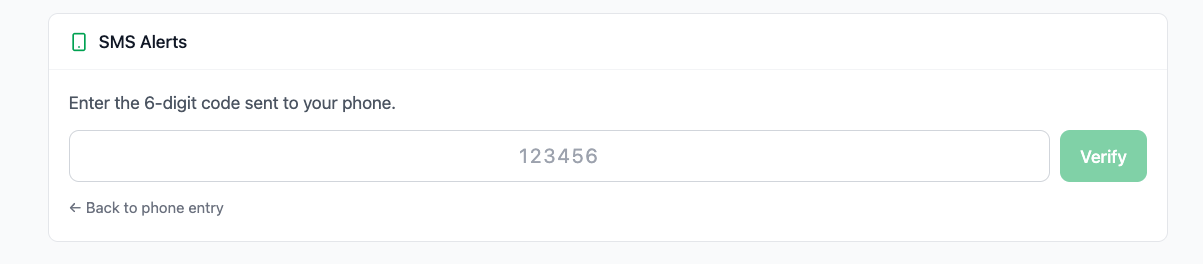
Step 4: SMS alerts active with opt-out option
User can manage SMS alerts and opt-out anytime via settings toggle